
Open source session replay for agents and tests
Record what your browser agent or test did.
Replay it with the console, network and performance on one timeline.
docker compose up --build and you are running your own.
The real viewer, running right here
A recorded checkout in a demo shop: a bad coupon, a failed request and a console error. Press play, click the markers on the scrubber, switch tabs. Nothing leaves your browser.
Open the demo full-screen A human recording All demo replays
Screenshots
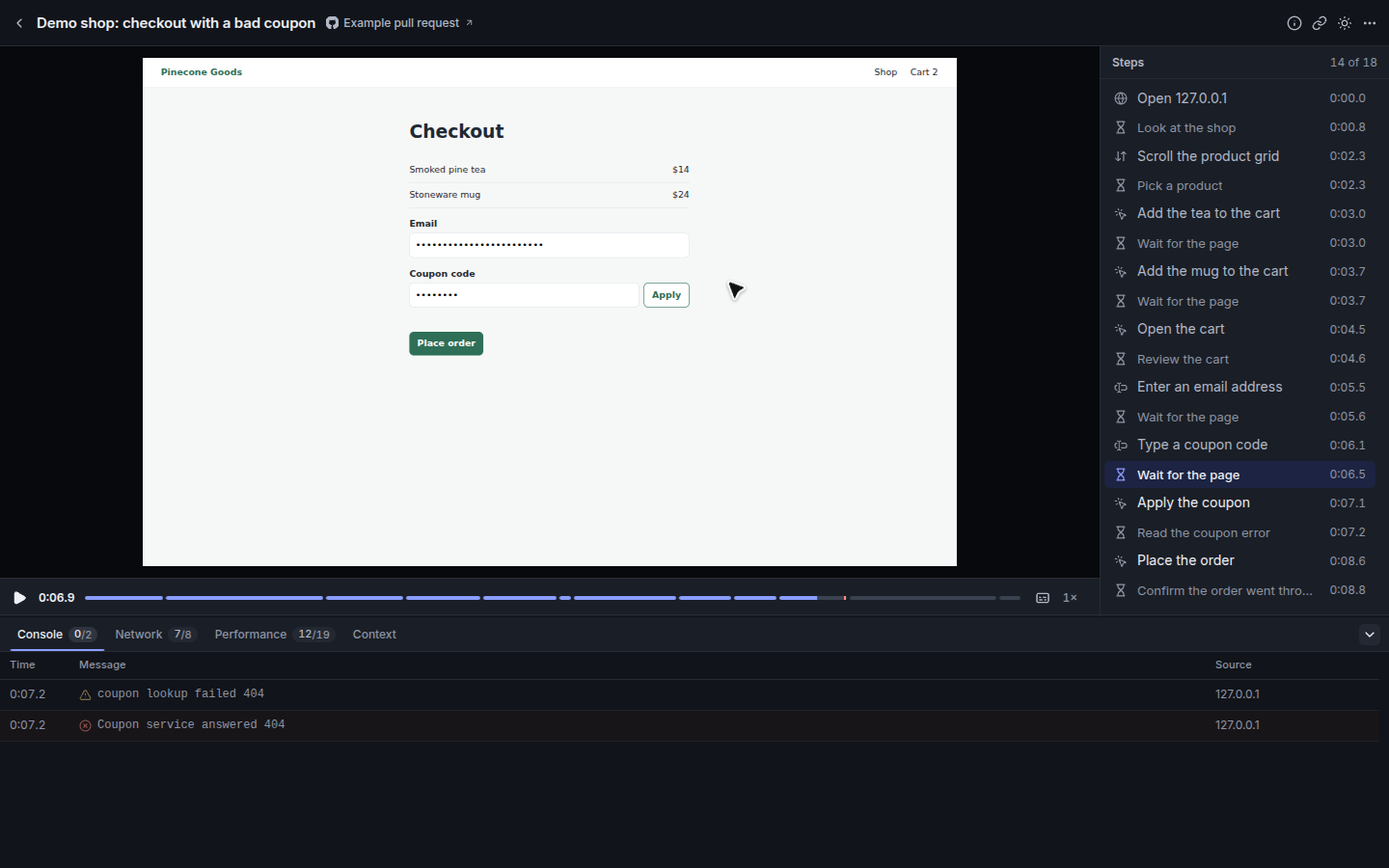
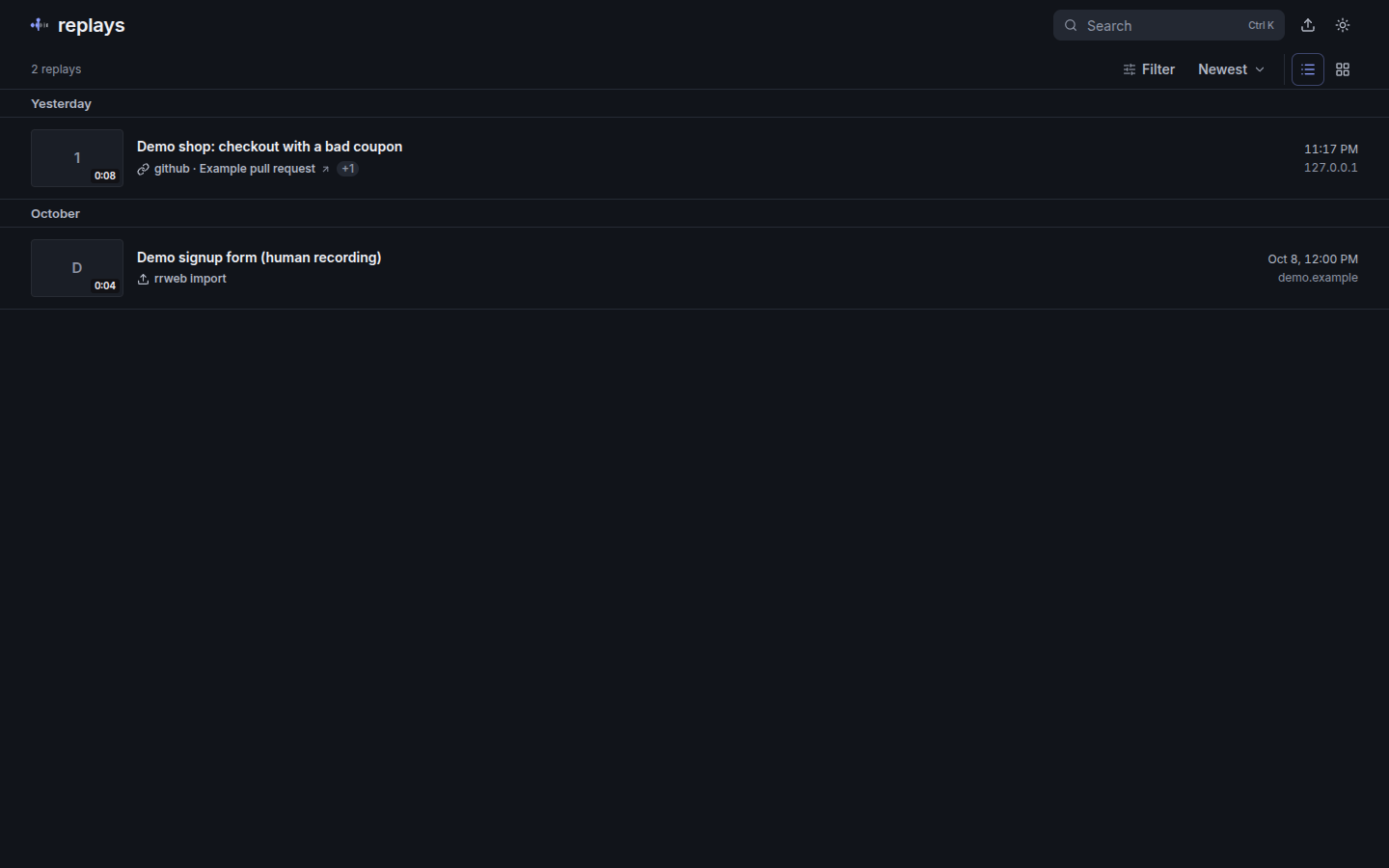
Everything the run did, in one place
One portable bundle per session. No vendor, no pipeline to wire up.
-
Capture CLI
Point it at a URL, or drive it from your test runner. It records through the browser's debugging protocol, so the recorder is in place before the first navigation.
-
One timeline
rrweb DOM events, agent steps, console output, network requests and performance entries share a single clock. Tabs follow the playhead.
-
Error markers
Console errors and failed requests are marked on the scrubber. Jump to the previous or next one with a key press.
-
Permalinks
?t=12.5or#step-3opens a replay paused at that moment. Copy the link at the playhead and paste it into a bug report. -
Keyboard first
Space play, ←→ seek, [] steps, E errors, 1–8 speed, CNP tabs, ? for the full sheet.
-
Suites
Group the runs of a test suite into a workspace that opens on the first failure, with the runs listed beside the player.
-
Comments
Comment on a whole replay or pin a note to a moment: it shows as a marker on the seek bar, with replies and resolve. Press M to comment at the playhead.
-
Editor beta
Trim, cut and speed up a replay without touching the original, add zoom, blur boxes and captions. Off unless you enable it.
-
Retention and keep
Uploads expire after a configurable number of days. Keep the ones that matter and the rest clean themselves up.
-
Self-host
One small Node server and a data directory. No database, no queue, no account with anyone. Runs in a container or bare.
Private by default
Recordings of real pages can contain real data. The capture side removes what it can before anything is written to disk, and you decide where the rest lives.
- Inputs are masked at capture time (
maskAllInputs). - Credentials are stripped from the network track: cookies, authorization and other credential headers, URL credentials and sensitive query values.
- Bodies are never stored. Only request and response metadata and timings are kept.
- Uploads expire after
RETENTION_DAYSunless someone keeps them. - Your infrastructure. The viewer and the data are served from your own host, with no third party.
Fits your setup
Small, documented extension points rather than a plugin framework.
- Auth adapters
- Run open on a private network, behind a shared token, or plug in your identity provider.
- Context schema
- Attach your own fields to a recording and describe them with a JSON Schema. The viewer renders them with your labels.
- Source links
- Link a replay to the pull request, ticket or CI run it came from. Only https links are rendered.
- Storage
- A plain data directory by default, behind an interface you can implement for other backends.
- Theming
- Name, logo, accent colour and fonts are runtime settings. Light and dark are both covered.
Up in two commands
Run the viewer, then record something.
1. Self-host the viewer
git clone https://github.com/hazem3500/replays
cd replays
docker compose up --build
2. Capture a page
replays capture \
  --url https://example.com \
  --output ./out
The README has the full configuration, the bundle format and the upload API. Read the README.